Thanks for downloading Hushglass.

Your download should start on its own.

  • Version 1.0.1
  • Windows 10 version 2004 or later
  • Free plan: 1 protected window

If your browser or Windows warns you

These warnings count how many people have downloaded a file. They do not inspect what is inside it, and Hushglass is new.

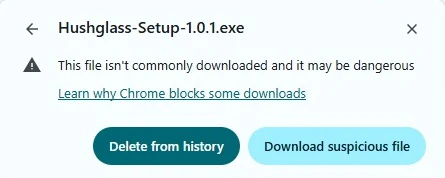
Chrome download bubble reading Hushglass-Setup-1.0.1.exe, suspicious download blocked. The opened warning, offering Delete from history and Download suspicious file.
  • In Chrome, open the warning and choose Download suspicious file.
  • In Windows, choose More info, then Run anyway.

If anything names a specific threat, stop and email us.

From download to your first protected window.

What happens once the file is on your machine. Windows wording varies a little by release.

  1. The Downloads folder in File Explorer, showing the orange Hushglass-Setup-1.0.1 installer.
    1

    Open the installer

    Find the Hushglass installer in your browser downloads or Downloads folder, then open it.

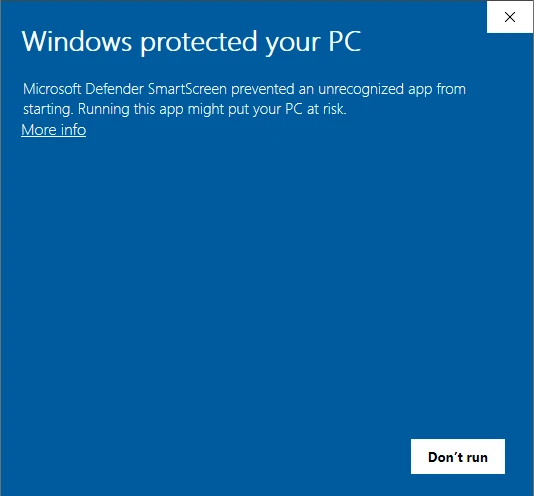
  2. Windows prompt reading Windows protected your PC, with a More info link.
    2

    If Windows asks

    Choose More info, then Run anyway. Not everyone sees this. If anything names a specific threat instead, stop and email us.
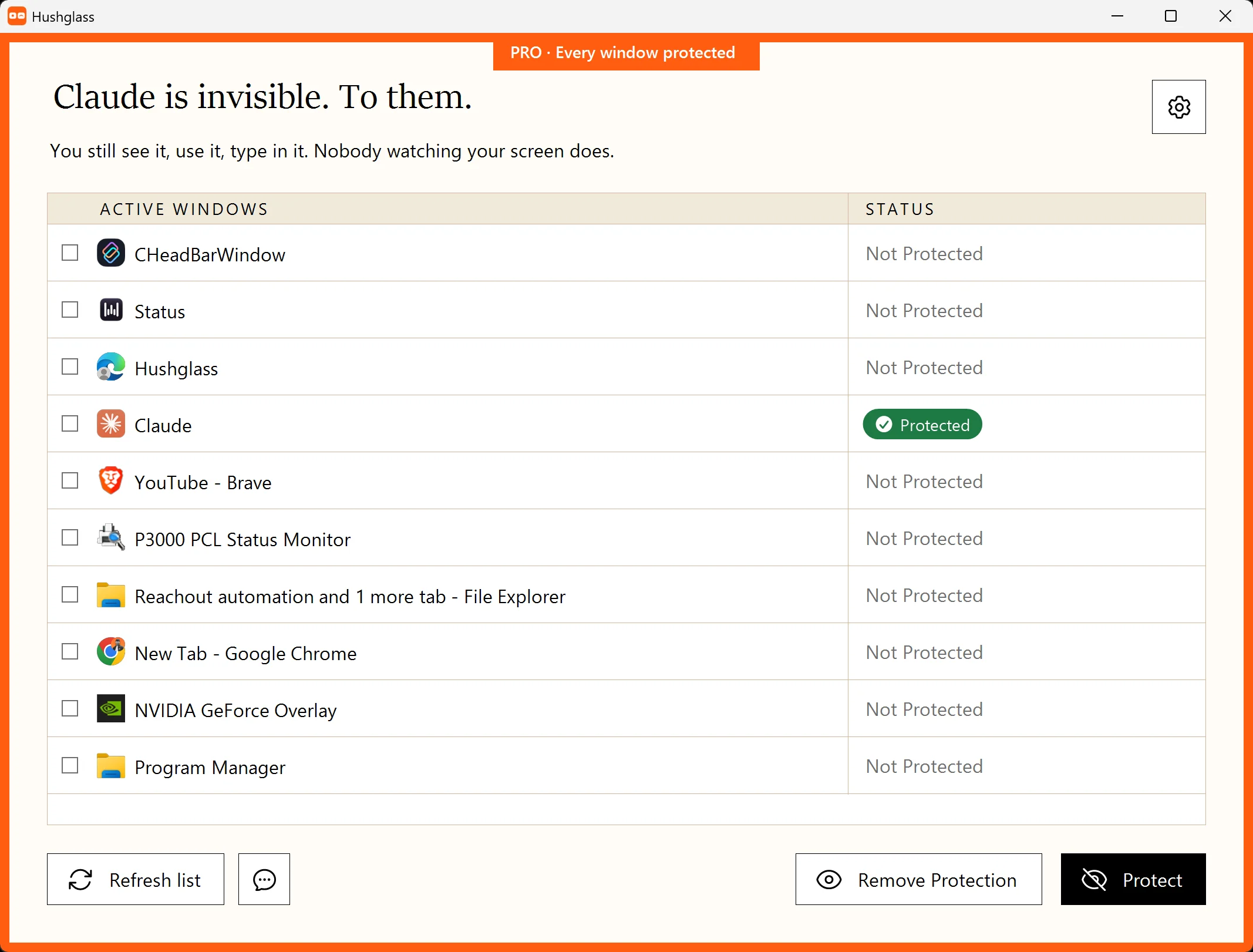
  3. The Hushglass window list, with one row marked Protected.
    3

    Protect your first window

    Launch Hushglass, choose the window you want to keep private, and turn on protection.

About this file.

Hushglass is not code signed yet, so Windows has no publisher name to recognise and browsers have no download history to weigh. That is what every warning on this page is about. A signing certificate is planned.

SHA-256 46e0a8604d79da4801f8a9eaa12110061b8c94be776be03a9112eeb3f92b639a

2,395,723 bytes. Run Get-FileHash in PowerShell to confirm the file you received is the one we published.