
Blog
Guides and findings on keeping a window private while you share your screen, tested on the viewer's side.
-
Clear screen policy for screen sharing: a clause you can copy
Most clear screen policies only say "lock your screen". ISO 27002 also covers screen sharing. What GDPR, HIPAA and DPDP expect, and a clause to copy.
-
How to hide a window from OBS Display Capture
Discord's Streamer Mode hides your notifications, not your window. Which OBS capture mode you picked decides what leaks, and Display Capture is the one that shows everything.
-
How to hide any window during screen sharing
Three ways to keep a window off a screen share on Windows — and which two stop working entirely the moment you share the wrong display. Two are free.
-
Cloakly and Hushglass, compared honestly
Cloakly is $129 for a lifetime licence, or $39 a year. Hushglass is $39 once. What their longer feature list actually buys you, where we are genuinely behind, and how to decide.
-
HideMyShare and Hushglass, compared honestly
HideMyShare is a Windows app that hides windows from screen sharing, at $59.96 for one computer. What it does better, what we do better, and which of the two differences should actually decide it.
-
The paid tools that hide windows during screen sharing, compared
Four products charge money to keep a window off your screen share, and they are not the same shape. What each one actually covers, where the prices land, and the one question that narrows it to two.
-
Safe Screen Share and Hushglass, compared honestly
Safe Screen Share is a browser extension that blurs sensitive content inside web pages, from $49. Hushglass is a Windows app that covers whole windows. One question decides which you need.
-
Five things to check before your first screen share at work
New job, first meeting, and someone says "can you share your screen?". The four habits that prevent almost every awkward moment, and the one thing none of them cover.
-
How to hide a window from Zoom screen share on Windows
Share one window and nothing else reaches the call. Whole screen in Zoom? Keep one window open in front of you while viewers see a cover. Steps, and what to check.
-
How to hide a window in Google Meet screen share
Meet gives you three ways to present, and only one of them needs this. The exact steps, what the Chrome sharing bar gives away, and why Meet's own preview is the wrong place to check.
-
How to hide Teams messages while sharing your screen
Share one window and Teams never reaches the call. Whole screen? One Teams setting stops the pop-ups, and the Teams window can stay open while viewers see a cover.
-
How to hide WhatsApp from a screen share on Windows
Share one window and WhatsApp never reaches the call. Whole screen? Keep WhatsApp open and readable while viewers see a cover. Steps for the app and WhatsApp Web.
-
Invisiwind and the free ways to hide a window, compared honestly
Invisiwind is free, open source and now a proper app. How it hides a window, why antivirus flags it, what it does better than us, and when free is the right choice.
-
How to keep personal apps off screen during a client call
Banking tabs, message threads and another client's work. The setup that keeps them off a shared screen without closing them, and the check to run before the call rather than during it.
-
How to turn off notifications while sharing your screen
The exact Windows settings, the ones that miss, and why a message banner can still appear over a window you already made private.
-
What still shows after you hide a window
Protecting a window does not protect everything. The five things that still reach viewers on Windows, why each one gets through, and what to do about each.
-
Why blurring WhatsApp hides it from you too
Every WhatsApp blur extension works the same way, and that way has one built-in cost. What a CSS blur can and cannot do, when it is the right tool, and what to use when it is not.
-
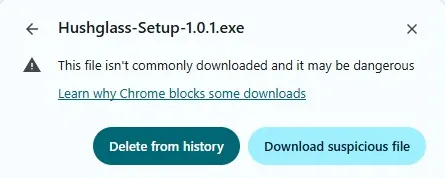
Why your browser calls a small app's download suspicious
"Suspicious download blocked" usually means unpopular, not malicious. The difference between detection and reputation, why they are separate systems, and how to check a file yourself instead of guessing.