
Free tools for this exist, they are maintained, and they work. Any comparison that pretends otherwise is not worth reading, so here is the honest version — what each one is, the single architectural difference that separates them, and when the free option is simply the better choice.
We make one of the paid options, so weigh this accordingly. Everything below is checkable.
The tools
Invisiwind is the serious one. MIT licence, 483 stars, 70 forks, version 2.1.0 released August 2026, distributed as an installer, a portable zip and through winget. Since version 2 the installed app is a proper window: a list of your windows with a tick box each, a live preview of what people watching your screen see, and an advanced option to hide a window from Alt+Tab and the taskbar. The portable zip still drops you into a terminal. It hides windows from full-screen sharing on Windows 10 v2004 and above, and its README is unusually straight about how and at what cost.
WinHider is the other one worth knowing. GPL-3.0, 105
stars, free, version 1.0.7, with both a window list and a command line, and it is distributed through
winget, GitHub releases and the Microsoft Store. It uses the same injection route Invisiwind does,
and adds a second trick on top: it swaps a window’s WS_EX_APPWINDOW style for WS_EX_TOOLWINDOW,
which removes it from the taskbar and from Alt-Tab. Invisiwind 2 now offers the same as an option;
Hushglass does not. Its README does not repeat Invisiwind’s antivirus warning, which is not the same
as the concern not applying — the mechanism is the same one.
WindowSharingHider is a smaller GitHub project doing broadly the same job with less around it, and there is also a Microsoft Store app called Hide During Screen Sharing.
Browser extensions — the WhatsApp blur family — solve a different problem in a different way and are covered separately.
The difference that actually matters
Every tool here is aiming at the same Windows feature: a flag called
WDA_EXCLUDEFROMCAPTURE that tells screen capture to skip a window. The catch is that a program
can normally only set that flag on its own windows. You cannot simply reach over and set it on
somebody else’s.
There are two ways around that, and the choice is the whole comparison.
Invisiwind injects a DLL into the target process and calls the API from inside it. Its README says so plainly:
The tool performs dll injection to
SetWindowDisplayAffinitytoWDA_EXCLUDEFROMCAPTURE.
That produces the cleanest possible result — the real window is genuinely excluded, with no overlay to position or keep in sync. It also has a consequence the README states immediately afterwards:
This software may be detected as a virus/trojan by your antivirus due to the fact that it performs dll injection. This is a false positive and can be safely ignored.
Version 2.1.0 changed the route but not the principle: its release notes say the DLL is no longer
injected through the dll-syringe library, and the call is instead queued onto the target app’s own
thread with NtQueueApcThread. Either way, the work happens inside the other application.
That is an honest warning and almost certainly an accurate one. Injection is precisely the behaviour heuristic scanners exist to flag. The question it leaves you is whether you want a tool injecting a library into your banking app or your browser. That is a judgement, not a defect.
Hushglass does not inject anything. From its own source header:
A “decoy” overlay — an opaque cover with a “Private content protected” badge — is placed exactly over it. This overlay IS captured, so viewers see the cover. A “clone” overlay showing a live mirror of the real window is placed on top, marked with
WDA_EXCLUDEFROMCAPTUREso capture APIs skip it. Only you see it. Both overlays are click-through.
Every window involved belongs to us, so no other process is touched. The cost is that there are overlays to keep positioned — across monitors, across DPI changes, when windows move — which is real engineering work that can go wrong in ways injection cannot.
Side by side
| Invisiwind | Hushglass | |
|---|---|---|
| Price | Free, open source | Free for one window; $39 once or $19/year |
| Method | DLL injection into the target app | Own overlay windows, nothing injected |
| Viewers see | The window is simply gone | A labelled “Private content protected” cover |
| Antivirus | Flagged by design; README says to expect it | Not flagged by Microsoft Defender; earlier false detections were submitted and cleared |
| Interface | Window list with tick boxes and a live preview; terminal in the portable zip | Window list, one click |
| Alt+Tab and taskbar | Optional: hides the window from both | Stays listed; a minimised one shows only its icon |
| Hotkey | An AutoHotkey script included in the zip | Built in, Ctrl+Shift+Q |
| New windows from a protected app | “Do future instances get automatically hidden? No” | Followed automatically on Pro |
| Source | Auditable | Closed |
| Support | GitHub issues |
Where the free tools win
Not a grudging list. These are real:
- Price. Zero, permanently, for the full feature.
- Auditability. You can read exactly what Invisiwind does. You cannot do that with us, and “trust us” is a weaker claim than “here is the code” — particularly for a privacy tool.
- The result is cleaner in principle. A genuinely excluded window cannot be mis-positioned, because there is nothing to position.
- No badge. If you would rather viewers saw nothing at all than a labelled cover, injection gives you that. Our badge is deliberate, and some people will not want it.
- Invisiwind shows you what viewers see, live, inside the app. We do not; we ask you to check from a second device instead. A preview drawn on your own PC is not proof of what the meeting receives, but it is a real convenience and we do not have it.
- Invisiwind and WinHider can hide a window from the taskbar and Alt-Tab, which we do not do. A protected window stays listed in both, and only a minimised one has its preview swapped for its icon. If a window’s presence in the switcher is the thing giving you away, that is a real answer and we do not have it.
- WinHider is on the Microsoft Store, so it arrives Microsoft-signed and installs without a
browser warning.
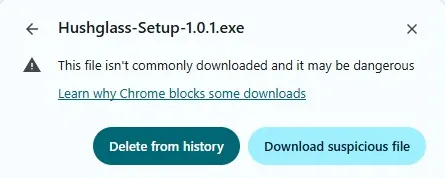
That is an advantage over us today, and an honest one.No longer true, and struck rather than deleted because it was true when this was written. Hushglass is on the Microsoft Store as of 2026-09-08, free, and a Store install has no browser and no SmartScreen prompt in the path either. The direct.exedownload still does, and the download page still explains it, because that route has not changed.
Where we think we win
- Nothing is injected into your other applications. For a lot of people that is the whole argument, especially when the window being protected is a banking app.
- The antivirus story is settled rather than explained. Both our binaries were submitted to
Microsoft as incorrectly detected and both came back cleared, detection removed. A direct
.exedownload can still draw a browser warning, because that is reputation, not detection — but you are not being asked to ignore a scanner, and the Store install avoids that route entirely. - The shortcut is built in.
Ctrl+Shift+Qprotects the window you are working in. Invisiwind’s hotkey is an AutoHotkey script in its zip, so it needs AutoHotkey installed. - Later windows from the same app are picked up on Pro — chat pop-outs, extra dialogs — which Invisiwind’s README says it does not do.
- The cover says what it is. Viewers see that something is deliberately private, rather than a gap. That makes it a poor tool for deceiving anyone, which we consider a feature.
Choose the free one if
You accept a tool running code inside your applications, you want to read the source, you want the window gone from Alt+Tab and the taskbar too, you only need one or two windows hidden and you do not need anything to happen automatically. Invisiwind is a good piece of work and that is a perfectly sensible answer.
Choose ours if
You would rather nothing was injected into your other apps, you want a shortcut that works without installing anything else, you want an app’s pop-ups covered without selecting each one, you want it from the Microsoft Store, or you want the antivirus question already answered rather than explained away.
Either way, verify it on a second device before you rely on it: join a meeting from your phone, share your entire screen, and look at the phone rather than at your own preview. That advice applies to whichever tool you pick, including ours.
Hushglass — Windows 10 version 2004 or later, free for one protected window.
Frequently asked questions
Is Invisiwind safe, given the antivirus warnings?
Its own README says the detections are false positives caused by DLL injection, and that is a credible explanation — injection is exactly the behaviour heuristic scanners are built to notice. The code is open, so the claim is checkable in a way a closed-source claim is not. What you are deciding is whether you are comfortable with a tool injecting a library into your banking app or your browser to do its work. Reasonable people answer that differently.
Why does Hushglass cost money when Invisiwind is free?
Because they are different products with the same purpose. Invisiwind is a maintained open-source app that hides a window by running code inside the app you hide. Hushglass injects nothing into the apps it protects, has a built-in shortcut, protects an app's later windows automatically on Pro, and has someone answering support mail. If injection does not bother you, the free tool may simply be the right answer for you.
Do any of these work on macOS or Linux?
No. Every tool on this page relies on a Windows capture flag introduced in Windows 10 version 2004, and no equivalent exists on macOS or Linux. Browser extensions that blur page content are the cross-platform option, with the trade-off that they blur it for you too.
What happens on Windows versions older than 10 version 2004?
The flag these tools use does not exist, so none of them can work. Invisiwind's README notes that older versions show a black screen instead of hiding the window; Hushglass's installer refuses to install and says which Windows version is required.
Can I try the paid one before buying?
Yes. The free tier protects one window at a time, permanently. It is not a trial, it does not expire, and it is enough to test everything described here.